Earn cashback with a single click.
Five steps from install to payout. Shop on eligible product pages, then request your payout when ready. BUCKS activates cashback automatically.
Add BUCKS to Chrome in 30 seconds.
No account required to install. No credit card. No setup screens.
BUCKS requests exactly one browser permission: access to https://*.amazon.com. You can audit this in Chrome's Extensions page at any time.
Shop on Amazon exactly as you always have.
No codes, no coupons, no hunting for a special link to click through. Just visit Amazon.com — BUCKS finds the offer for you.
Affiliate tags never change the price you see or pay. They are a signal to Amazon that you arrived via an affiliate, which is what generates the commission.
Cashback activates automatically on that product.
BUCKS checks eligibility and adds its affiliate tag automatically, without replacing existing referral tags.
Not every Amazon visit generates a commission — only confirmed purchases through an affiliate-tagged URL count. Returns and cancelled orders are excluded. Cashback is credited to you automatically only for the products you activated; commission on anything else you buy in the window after that click is held for manual review and reaches you only if our team approves the match.

Watch earnings move through the Reward Rail.
Your dashboard shows every purchase at every stage, from first estimate to final payout.
Cashback amounts change between Estimated and Available because Amazon's confirmed rate may differ slightly from the published rate schedule we use for estimates.
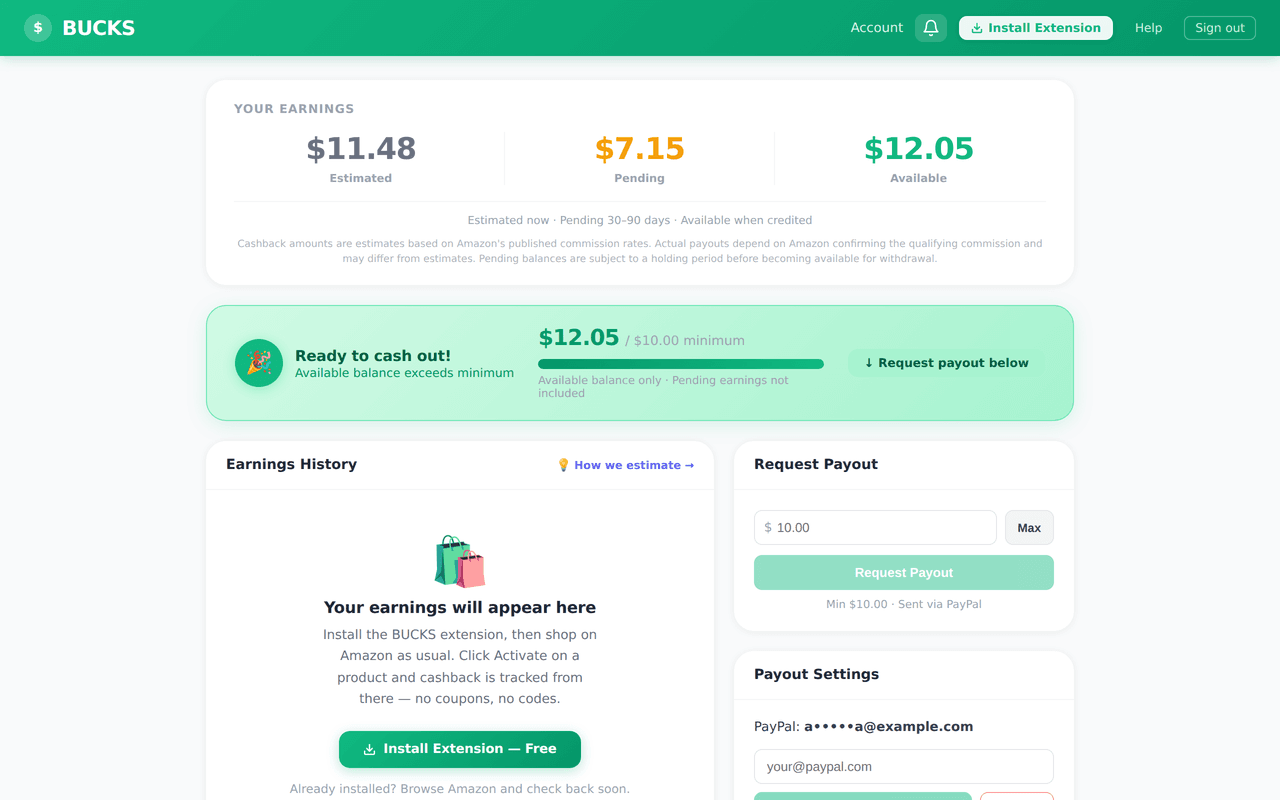
Request a payout when you're ready.
Once your Available balance reaches $10.00, you can withdraw at any time.
There are no fees on payouts. The $10.00 minimum exists because PayPal charges flat fees on small transfers that would eat into the cashback amount.
Questions
Common questions about the process.
Five steps, starting now.
The first step takes 30 seconds. After that, cashback activates automatically on eligible product pages.
Install Free on Chrome